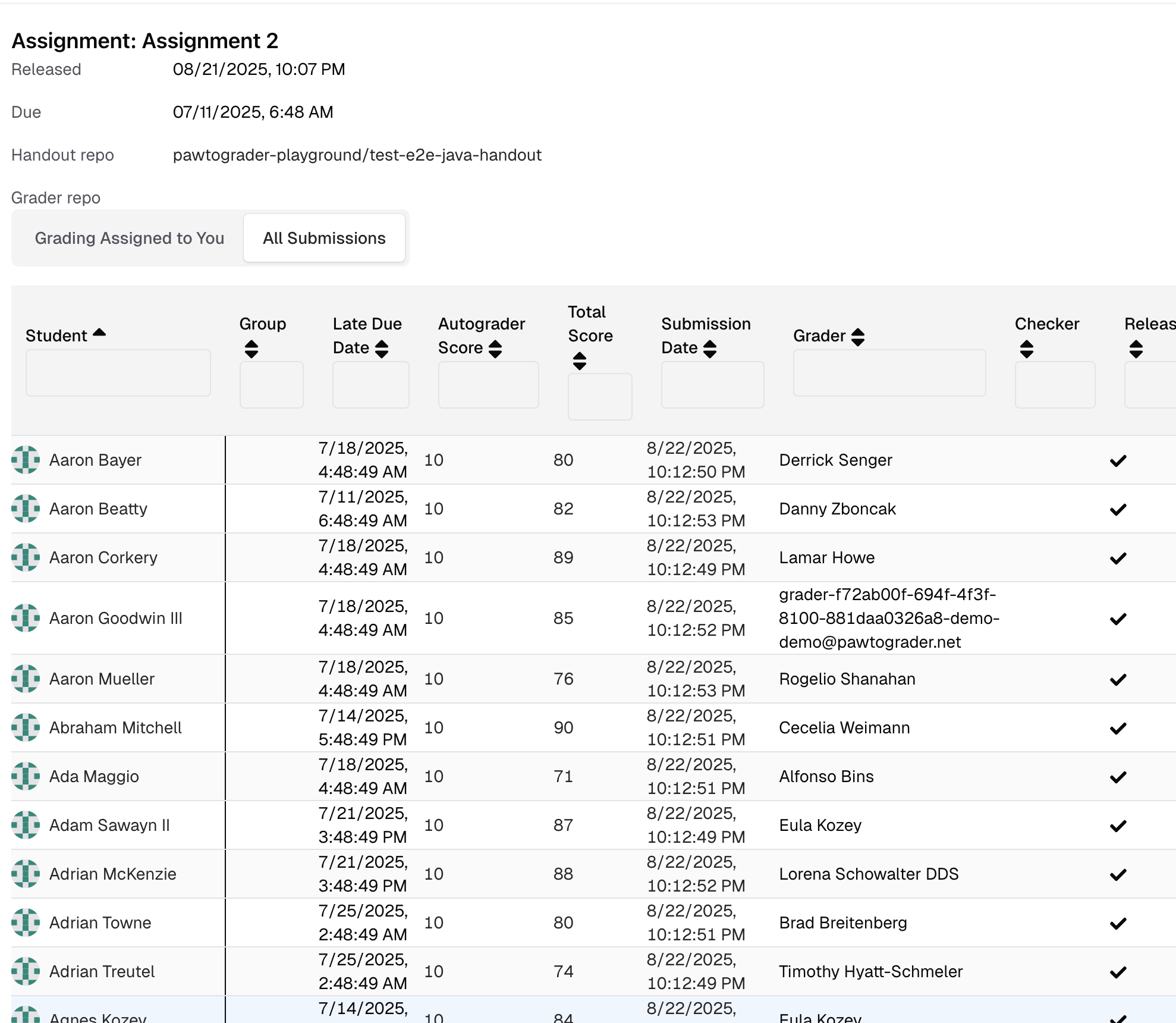
Handgrading
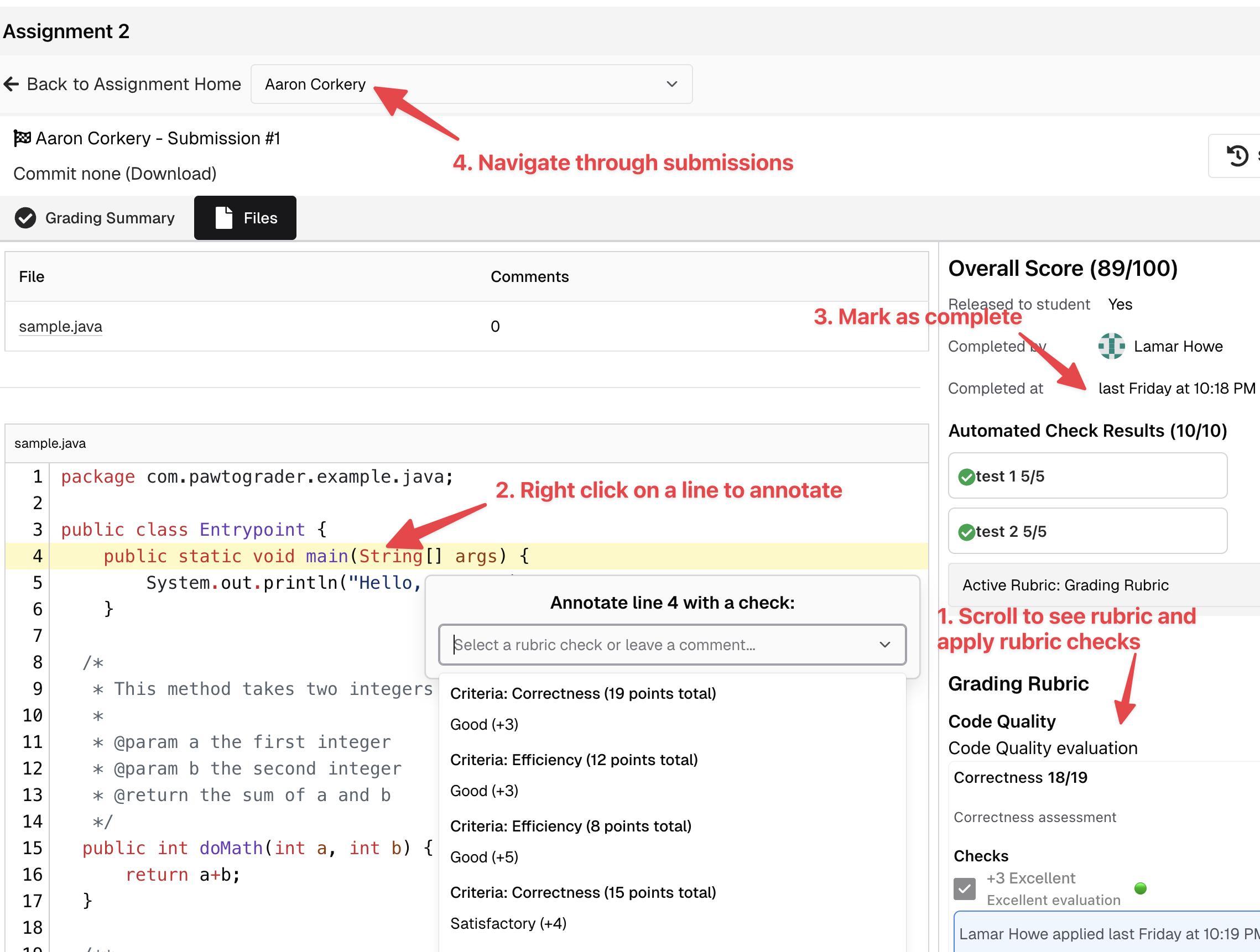
Instructors can define multiple handgrading rubrics for each assignment, although the most typical mechanism is to simply use the “Grading Rubric” (which, combined with the autograder score, is used to compute the score for each submission). Once all required rubric checks are done, the grader can click the “Complete Review” button to confirm that they have completed grading. This does not release the review to the student, but indicates to the instructor that it could be released (at the instructor’s discretion).TAs can edit or delete rubric scores even after completing a review. This allows for corrections or adjustments without needing to “uncomplete” the review.
Grading Submissions That You Have Been Assigned
When you have submissions assigned to grade, you will see a summary of them on the assignment’s landing page.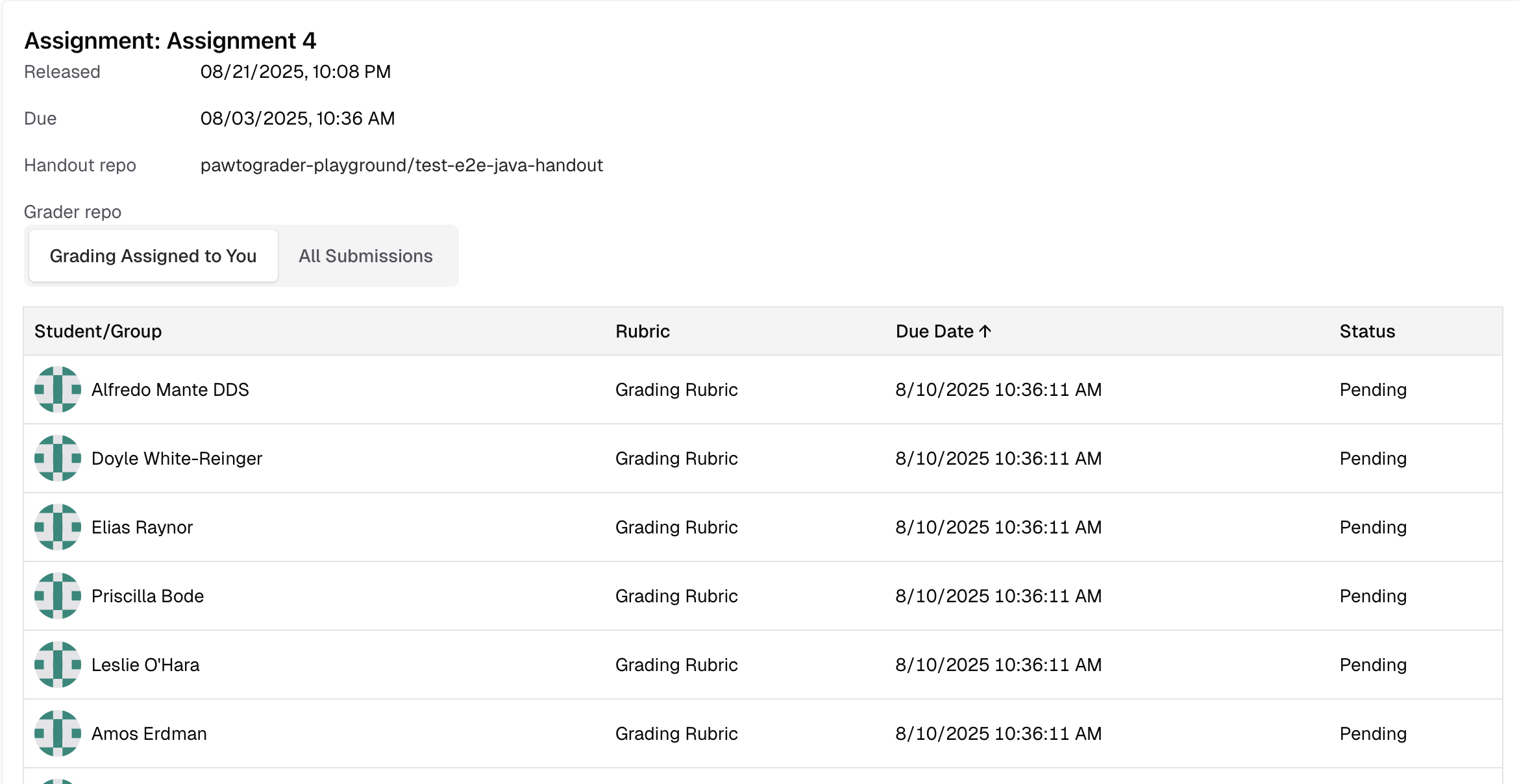
When reassigning a rubric part to a TA who already completed grading a different rubric part for the same submission, the new work will now properly appear in their pending work list. Previously, the existing review assignment’s completed timestamp was preserved, causing the new work to not appear.
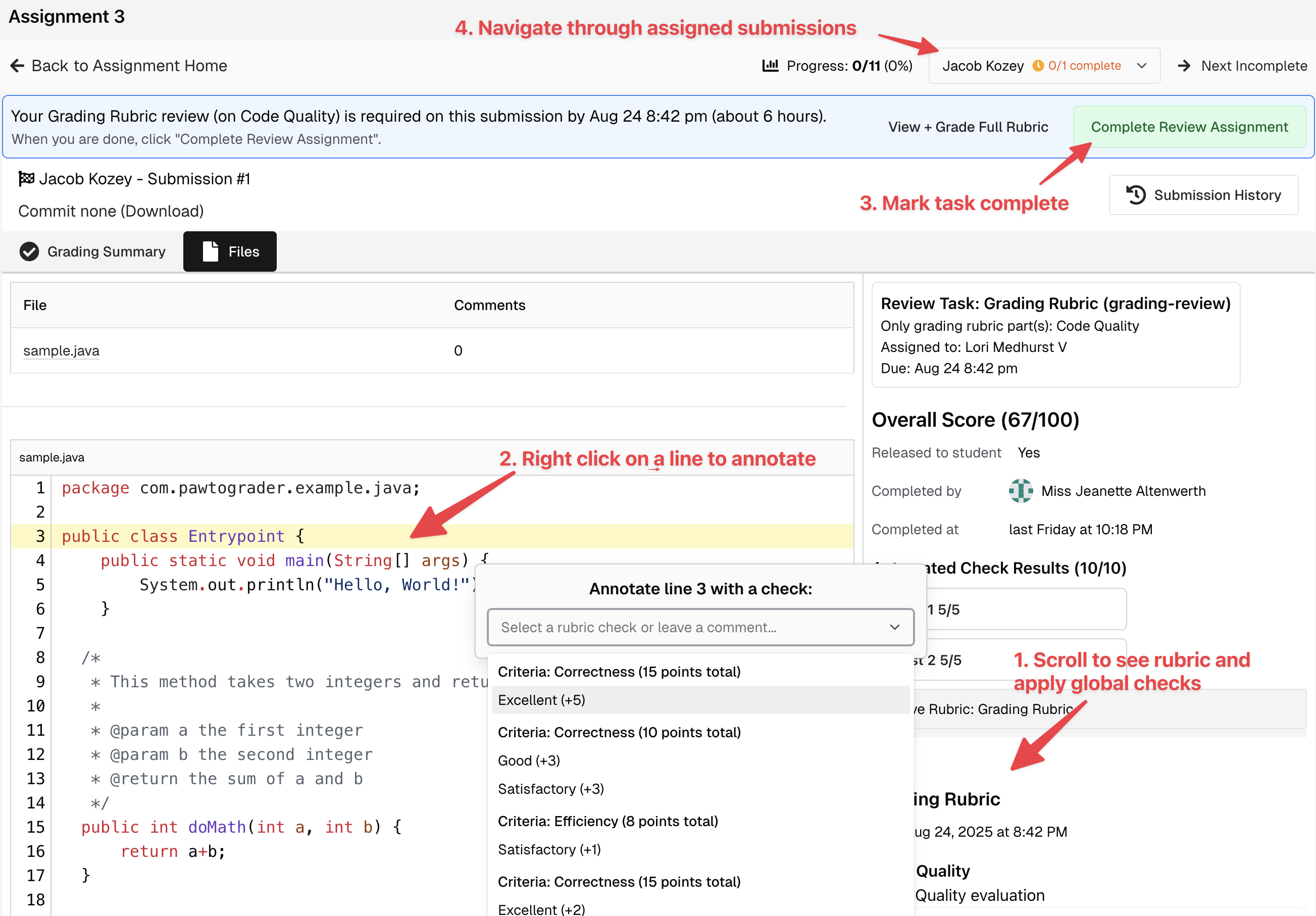
Grading Submissions Without Assignments
If you have not been assigned to grade any submissions, you will see a list of all submissions on the assignment’s landing page.